SharePoint Development Services: Complete Guide
Written by : Team Accveil
The majority of today’s organizations spend huge sums of money to license Microsoft’s cloud software but only use less than 10% of its real potential. Your organization generates tons of information daily; however, your employees waste hours of time searching for misplaced documents, sorting out messy emails, and operating through numerous tools.
Hiring professionals from SharePoint development services helps you bridge the gap between basic storage space and advanced productivity. The services of custom SharePoint development give you a way to convert your basic cloud space into a well-developed tool for document management, workflow automation, and collaborative work. Working with a trusted SharePoint development company India will help your organization create efficient intranets.
What Are SharePoint Development Services?
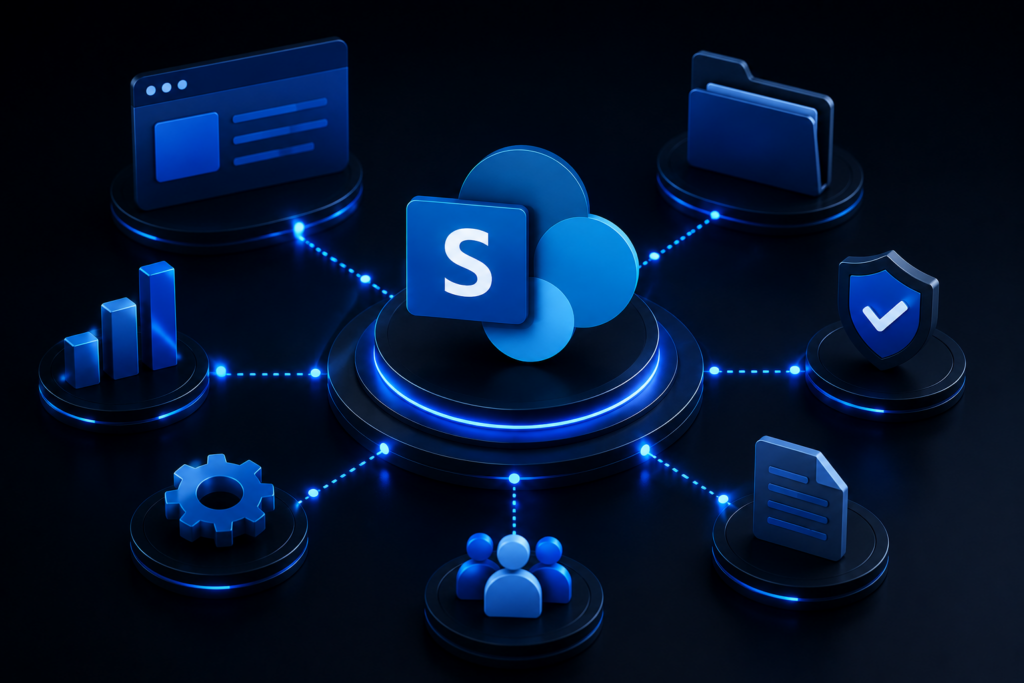
Custom SharePoint development services arise from recognising that SharePoint is more than just normal file storage. Custom SharePoint development services include design, configuration, customization, and scaling of the Microsoft collaboration solution according to your business processes.
As an enterprise, when you adopt SharePoint online, you get an all-in-one solution for your content, communication, and applications. Professional SharePoint development services make sure that your cloud solution is properly designed from the get-go.
• Custom Digital Workspaces: Professional SharePoint site development transforms generic team sites into customized digital workspaces.
• Smart Content Management: Setting up your enterprise content management SharePoint solutions ensures that your unstructured corporate information is all organized and compliant.
• Custom Application Development: Professional SharePoint app development involves developing custom web parts, SPFX components, and internal applications that suit your workflows.
• Professional Consulting: Hiring a top SharePoint consulting company in India gives you the best architectural experts who understand the right tech for your business.
Core Pillars of Modern SharePoint Solutions
A successful enterprise implementation requires several interrelated technical competencies. Establishing a strong cloud environment requires proficient work in intranet portals, migration, customization, and system integration.
Choosing experienced SharePoint customization solutions means that your platform will adjust to your employees and not vice versa.
1. SharePoint Intranet Development & Portal Design
• Employee Engagement: Custom SharePoint intranet solutions develop centralized sites where all the latest news, announcements, and company related resources are kept.
• Customized User Interface: SharePoint site development uses modern branding, custom navigation menus, and user interface components.
• Department Hubs: Individual intranet hubs are created for HR, finance, sales, and IT departments without overloading the executive channels.
• Mobile ready Portals: With modern SharePoint online development, you can be sure that responsive designs work well on all platforms.
2. Enterprise Document Management & Compliance
• Storage Centralization: A strong SharePoint document management system replaces disorganized file shares with organized document libraries accessible via the cloud.
• Automatic Metadata Tagging: With integration of ECM principles into SharePoint, files are automatically organized based on metadata rather than complex folder structures.
• Version Control and Audit Trails: Historical versioning is built into every SharePoint Online configuration.
• Security: A secure SharePoint document management system uses tight permissions that prevent leaks of corporate information.
3. Workflow Automation & Custom App Building
• Process Automation: Professionally automated SharePoint processes will replace the tedious paper-based approval system with automated digital processes through Power Automate.
• Custom Business Applications: Custom SharePoint applications are designed to make customized forms and business applications with SPFx and low-code.
• Error Elimination: Performing SharePoint workflow automation eliminates manual errors in data input and ensures that your internal processes run smoothly.
• Resource Management: Custom SharePoint customizations will make automated asset trackers, leave request forms, and task boards within your portal.

Migration and Integration: Unifying Your Tech Stack
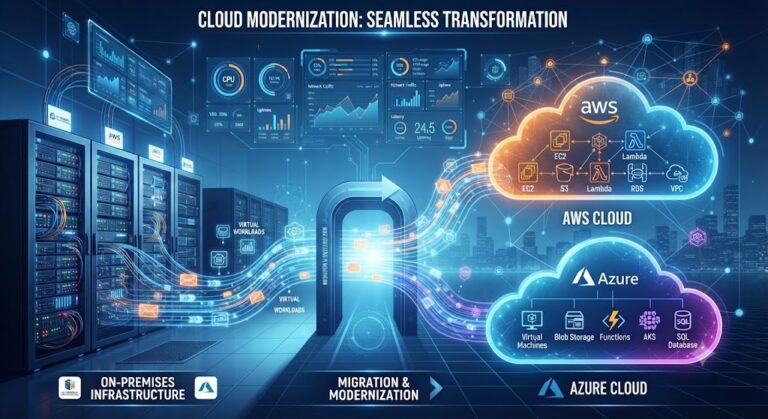
The old-fashioned legacy servers, internal hard drives, and fragmented cloud storage reduce the efficiency of companies. Employing proven SharePoint migration services will provide you with the guaranteed safety of migration of your critical business data without any downtime. SharePoint integration services help you integrate your SharePoint environment with existing enterprise software such as ERPs, CRMs, and Microsoft products
Key Benefits of Seamless System Integration
• Data Transfer Without Loss: Reliable SharePoint data transfer providers use proven software to migrate big files, permissions, and metadata precisely.
• Integrated Business Environment: A seamless SharePoint integration service connects your document libraries to Salesforce, SAP, or Microsoft Dynamics.
• Efficient Collaboration (SharePoint vs Teams): Comparing SharePoint vs Teams shows that SharePoint manages the secure architecture of content, and Teams takes care of instant chat communication. Both together provide the best remote working solution.
• Improved Infrastructure: Switching from legacy applications to SharePoint online reduces the cost of hardware support and improves system reliability.
SharePoint Implementation Guide: Step-by-Step Strategy
Using enterprise portals necessitates the presence of an effective strategy to circumvent certain pitfalls often experienced during adoption. Adopting a well-thought-out SharePoint implementation guide ensures that projects will be completed according to plan and have business value.
Working with an experienced SharePoint development company India provides your business with access to highly experienced technical professionals.
Phase 1: Planning and Architecture
• Requirement Gathering: Your selected SharePoint consulting company India performs thorough discovery to understand document processes and challenges.
• Information Architecture: Information architecture of sites, taxonomies, and permissions is determined in advance of development to prevent portal chaos.
• Scope of Development Evaluation: Evaluating your requirement set will help define reasonable expectations for timelines and SharePoint development cost.
Phase 2: Configuration and Customization
• Requirement Gathering: Your selected SharePoint consulting company India performs thorough discovery to understand document processes and challenges.
• Information Architecture: Information architecture of sites, taxonomies, and permissions is determined in advance of development to prevent portal chaos.
• Scope of Development Evaluation: Evaluating your requirement set will help define reasonable expectations for timelines and SharePoint development cost.
Phase 3: Migration, Testing, and Rollout
• Data Migration: Performing SharePoint migration services through batch testing to confirm the integrity of files and permissions.
• Integration Testing: Testing SharePoint integration services to confirm that third-party business applications do not have any issues while syncing data.
• Best Practices Application: Adhering to proven SharePoint best practices 2026 for complete security, maximum site speed, and user adoption.
Understanding Factors That Influence SharePoint Costs
Leadership within enterprises will have to consider the capabilities of technology against budgetary limitations. The total cost associated with the SharePoint development process requires knowledge of scope, customizations, data volumes, and maintenance needs.
Collaboration with a SharePoint development company India ensures that you receive top-level technical skills while optimizing your software development budget.
Factors Affecting Project Investments
• Scope of Customization: Simple configurations of portals are less expensive than complicated ones, which would require extensive SharePoint development.
• Volume of Data & Migration Complexity: Large-scale migration of legacy databases using SharePoint migration services will need audit and cleansing stages.
• Integration Needs: Connecting a SharePoint document management system to other ERP systems would need API configuration.
• Future Support Needs: Allocating funds for continuous support and maintenance of the SharePoint will safeguard the platform’s stability as your business expands.
Best Practices for Enterprise SharePoint Success
Constructing a robust platform is just the first step of the journey; adopting it involves discipline and effective management. Adhering to the latest SharePoint practices for 2026 keeps high levels of security and performance intact throughout all business departments.
Collaboration with the leading SharePoint consulting company in India guarantees the optimization of your platform amid all security challenges and new updates.
• Strict Governance Policies: Establish well-defined rules on ownership, retention period, and access to information throughout the process of developing any SharePoint site.
• Clean Architecture Design: Create a structure for storing files through metadata under your enterprise content management system based on SharePoint, rather than complex folder hierarchies.
• Collaboration Tools Synergy: Learn how to play well with SharePoint and Teams by integrating Teams for communication and making SharePoint the authoritative source of documents.
• System Maintenance: Hire specialized SharePoint support and maintenance personnel who will be responsible for the overall system monitoring and management.
Conclusion
Successfully navigating the process of digital transformation requires strategic insight and technological finesse. At Accveil, we approach the issue of enterprise collaboration and custom cloud solutions with extensive knowledge about technology. We understand that the implementation of our SharePoint development services is necessary for companies wanting to enjoy hassle-free remote collaboration, protected document storage, and automated processes.
We offer our customers all-around expertise that covers SharePoint intranet development, safe SharePoint online setup, and SharePoint support and maintenance. We aim at helping companies leverage their digital environment, optimize complex content management processes, and develop customized portals according to specific business objectives.
Key Takeaways for Business Leaders
• Customized Platform Value: SharePoint development services help you transform regular cloud storage into customized high-performing corporate portals.
• Efficiency Through Automation: By automating SharePoint workflows, you can save yourself from tedious and time consuming processes.
• Structured Data Transfer: With the help of professional SharePoint migration services, you can be assured that all your data will be transferred safely with no loss in between.
• Long-Term Optimization: SharePoint support and maintenance through SharePoint best practices 2026 will keep your workspace safe and fast.
FAQ
What are SharePoint development services?
SharePoint development services involve designing, configuring, customizing, and scaling Microsoft’s collaboration platform to match specific business workflows. This includes building custom digital workspaces, setting up enterprise content management systems, developing custom applications with SPFx, and providing ongoing consulting to ensure the platform is architected correctly from the start.
How much does SharePoint development cost?
SharePoint development costs depend on four main factors: the scope of customization required, the volume and complexity of data migration, the number of third-party integrations (like ERP or CRM systems), and future support and maintenance needs. Simple portal configurations cost less than complex, highly customized enterprise builds.
What is the difference between SharePoint and Microsoft Teams?
SharePoint and Teams serve complementary roles: SharePoint manages secure document architecture and serves as the authoritative source of truth for content, while Teams handles real-time chat and communication. Used together, they create a complete remote collaboration solution SharePoint for structured storage, Teams for instant interaction
What are the steps in a SharePoint implementation strategy?
A SharePoint implementation typically follows three phases: (1) Planning and Architecture requirement gathering and information architecture design; (2) Configuration and Customization environment provisioning, workspace branding, and workflow automation; (3) Migration, Testing, and Rollout data migration, integration testing, and applying security best practices.
How does SharePoint workflow automation help businesses?
SharePoint workflow automation replaces manual, paper-based approval processes with automated digital workflows using tools like Power Automate. This reduces data-entry errors, speeds up processes like leave requests and asset tracking, and frees employees from repetitive administrative tasks.
Table of Content
- What Are SharePoint Development Services?
- Core Pillars of Modern SharePoint Solutions
- Migration and Integration: Unifying Your Tech Stack
- SharePoint Implementation Guide: Step-by-Step Strategy
- Understanding Factors That Influence SharePoint Costs
- Best Practices for Enterprise SharePoint Success
- Conclusion
- Key Takeaways for Business Leaders
- FAQ